TP-LINK TG-3269 Guida Utente
Navigare online o scaricare Guida Utente per Tessere di rete TP-LINK TG-3269. TP-Link TG-3269 User Guide Manuale Utente
- Pagina / 31
- Indice
- SEGNALIBRI


- TG-3269 1
- Gigabit PCI Network Adapter 1
- COPYRIGHT & TRADEMARKS 2
- FCC STATEMENT 3
- CE Mark Warning 3
- Safety Information 4
- DECLARATION OF CONFORMITY 5
- CONTENTS 6
- Package Contents 7
- Chapter 1. Introduction 8
- 1.3 LED Status 9
- )Note: 10
- 2.2 Software Installation 11
- 2.2.2 For Windows 7 17
- 2.2.3 For Windows 8 23
- Appendix A: Specifications 30
Sommario
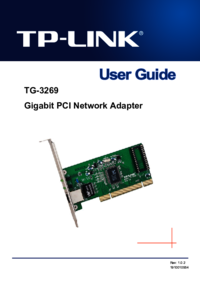
TG-3269 Gigabit PCI Network Adapter Rev: 1.1.0 1910010907
TG-3269 Gigabit PCI Network Adapter 4 Chapter 2. Installation Guide 2.1 Hardware Installation To install the adapter, please follow these steps lis
TG-3269 Gigabit PCI Network Adapter 5 2.2 Software Installation The section will guide you through the installation procedures for Windows XP, Windo
TG-3269 Gigabit PCI Network Adapter 6 Figure 2-3 4. The Hardware Update Wizard window will show up as shown in Figure 2-4. Select Install from a lis
TG-3269 Gigabit PCI Network Adapter 7 Figure 2-5 6. Click Have Disk…. Figure 2-6
TG-3269 Gigabit PCI Network Adapter 8 7. Click Browse…. Figure 2-7 8. Find the right product model (TG-3269)and operation system (Windows XP) in t
TG-3269 Gigabit PCI Network Adapter 9 9. Back to the Install From Disk screen, click OK. Figure 2-9 10. Click Next. Figure 2-10
TG-3269 Gigabit PCI Network Adapter 10 11. The Hardware Installation screen will pop up as shown in Figure 2-11; select Continue Anyway. Figure 2-11
TG-3269 Gigabit PCI Network Adapter 11 13. Click Finish to complete the installation. Figure 2-13 2.2.2 For Windows 7 1. Insert the TP-LINK Resour
TG-3269 Gigabit PCI Network Adapter 12 and then select Update Driver Software…. Figure 2-15 4. The next screen will appear as shown in Figure 2-16.
TG-3269 Gigabit PCI Network Adapter 13 Figure 2-17 6. Click Have Disk… in the screen as shown in Figure 2-18. Figure 2-18 7. Click Browse… in the I
COPYRIGHT & TRADEMARKS Specifications are subject to change without notice. is a registered trademark of TP-LINK TECHNOLOGIES CO., LTD. Other
TG-3269 Gigabit PCI Network Adapter 14 Figure 2-19 8. Find the right product model (TG-3269) and operation system (Windows 7) in the resource CD di
TG-3269 Gigabit PCI Network Adapter 15 9. Back to the Install From Disk window as shown in Figure 2-21, click OK. Figure 2-21 10. Click Yes in the U
TG-3269 Gigabit PCI Network Adapter 16 12. Select Install this driver software anyway in the Windows Security window as shown in Figure 2-24. Figure
TG-3269 Gigabit PCI Network Adapter 17 14. Click Close to complete the installation. Figure 2-26 2.2.3 For Windows 8 1. Insert the TP-LINK Resourc
TG-3269 Gigabit PCI Network Adapter 18 Figure 2-27 3. The Computer Management screen will appear as shown in Figure 2-28. Click Device Manager, and
TG-3269 Gigabit PCI Network Adapter 19 Figure 2-28 4. The next screen will appear as shown in Figure 2-29. Select Browse my computer for driver sof
TG-3269 Gigabit PCI Network Adapter 20 Figure 2-30 6. Click Have Disk… in the screen as shown in Figure 2-31. Figure 2-31 7. Click Browse… in the I
TG-3269 Gigabit PCI Network Adapter 21 Figure 2-32 8. Find the right product model (TG-3269) and operation system (Window 8) in the resource CD d
TG-3269 Gigabit PCI Network Adapter 22 9. Back to the Install From Disk window as shown in Figure 2-34, click OK. Figure 2-34 10. Click Next in the
TG-3269 Gigabit PCI Network Adapter 23 11. Wait a few seconds for the installation. Figure 2-36 12. Click Close to complete the installation. Figu
FCC STATEMENT This equipment has been tested and found to comply with the limits for a Class B digital device, pursuant to part 15 of the FCC Rules
TG-3269 Gigabit PCI Network Adapter 24 Appendix A: Specifications Normal Interface 32-bit PCI interface Standards IEEE802.1P, IEEE802.1Q , IEEE802
TG-3269 Gigabit PCI Network Adapter 25 Appendix B: Troubleshooting 1. What should I do if PC cannot find the new hardware? Check to see if the n
Safety Information z When product has power button, the power button is one of the way to shut off the product; when there is no power button, the
TP-LINK TECHNOLOGIES CO., LTD TP-LINK TECHNOLOGIES CO., LTD. Building 24 (floors 1, 3, 4, 5), and 28 (floors 1-4) Central Science and Technology Pa
CONTENTS Package Contents ... 1 Chapter 1. Introd
TG-3269 Gigabit PCI Network Adapter 1 Package Contents The following contents should be found in your box: ¾ One TG-3269 Gigabit PCI Network Adapter
TG-3269 Gigabit PCI Network Adapter 2 Chapter 1. Introduction 1.1 Overview of the product TG-3269 is a highly integrated and cost-effective single-
TG-3269 Gigabit PCI Network Adapter 3 ¾ PCI local bus single-chip Ethernet controller ¾ Supports ACPI, PCI power management ¾ Supports Auto-Ne
Più documenti per Tessere di rete TP-LINK TG-3269
Prodotti e manuali riguardandi Tessere di rete TP-LINK TG-3269
 (46 pagine)
© 2020, manymanuals.it. Tutti i diritti riservati | 0.032 s |
 Manymanuals.com
 Manymanuals.de
 Manymanuals.fr
 Manymanuals.it
 Manymanuals.pl
 Manymanuals.cz
 Manymanuals.es
 Manymanuals-pt.com
Commenti su questo manuale